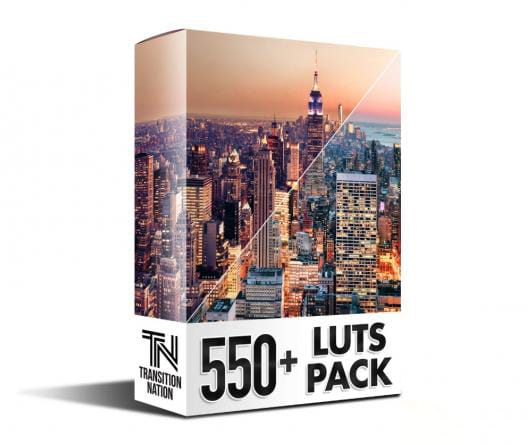
How to Sell LUTs & Monetize Video Editing in 2026: The Digital Creator’s Playbook
To sell digital LUTs profitably in 2026: (1) Technical Standard: Export 3D LUTs as 33x33x33 .CUBE files with 0% spatial noise or non-linear effects enabled (no grain, no sharpening, no vignettes). (2) Packaging: Bundle both Rec.709 and Log camera conversion versions with an illustrated PDF install guide. (3) Digital Storefront: Host your assets on an automated creator platform like SmartSellsHub to manage instant downloads, license keys, and payment gateway compliance.
Video editors and freelance colorists often hit an income ceiling because they sell their hours rather than digital assets. In 2026, selling digital color grading presets, 3D LUTs, and powergrades represents one of the highest margin, scalable revenue streams for filmmakers. This playbook walks you through technical creation, packaging, pricing, and automated e-commerce distribution.
The Technical Rules: Exporting Banding-Free .CUBE Files
A Look-Up Table is a 3D mathematical coordinate map. It cannot record temporal or spatial effects. If you export a LUT from a grade that contains noise reduction, power windows, halation, or vignettes, the resulting .cube file will either break software or create catastrophic artifacts.
| LUT Grid Dimension | File Size | Precision & Smoothness | Software Compatibility | Commercial Recommendation |
|---|---|---|---|---|
| 17x17x17 (17pt 3D LUT) | ~100 KB | Low (prone to color banding) | On-camera monitors (Atomos, SmallHD) | Monitoring only; avoid for sales |
| 33x33x33 (33pt 3D LUT) | ~1.2 MB | High (smooth, continuous gradients) | Premiere, DaVinci, FCPX, CapCut, Photoshop | Universal Gold Standard for Selling |
| 65x65x65 (65pt 3D LUT) | ~9.5 MB | Ultra-High (scientific precision) | DaVinci Resolve Studio, Baselight | High-end film colorists / Studio master files |
How to Export Clean 3D LUTs in DaVinci Resolve
- Create a fresh project set to DaVinci YRGB (not color managed) to ensure no background color transformations bleed into the lookup table.
- Build your color grade using only primary wheels, RGB curves, and color warper. Disable all qualifying keys, tracking windows, and spatial plugins.
- Right-click on the clip thumbnail in the Color page > Generate LUT > select 33 Point Cube.
- Test your exported .CUBE file across high-contrast test footage (e.g. sunsets, skin closeups, blue skies) to verify that color banding is 100% absent.
Pricing Your LUT Collections in 2026
Don't undervalue your work. Creative assets should be priced according to the time they save your clients:
- Single Creative LUT: $15 – $25 (Great entry-level tripwire offer).
- Genre Collection (5–10 LUTs): $39 – $59 (e.g., our Wedding Filmmaker Pack).
- Master Bundle (25+ LUTs + Powergrades): $89 – $149 (Complete multi-camera and film stock suite).
- All-Access Membership: $19/month or $199/year (Explore LUTsMarket Memberships for recurring revenue inspiration).
Build Your Digital Asset Empire on SmartSellsHub
Ready to sell LUTs, motion graphics, and video presets worldwide with zero friction? Launch an automated digital storefront in minutes with SmartSellsHub.
Creating High-Converting Marketing Assets
LUTs do not sell on technical merit alone—they sell on visual transformation. To maximize conversion rates:
- Interactive Sliders: Use before/after split screen wipes on your product landing pages.
- Realistic Test Clips: Showcase the look on diverse skin tones, daylight exteriors, and moody indoor tungsten lighting.
- Short-Form Video Breakdowns: Post 15-second TikTok and Instagram Reels showing a raw log shot snapping into a graded cinema look with your LUT.
For more inspiration on presenting high-end creative color assets, visit LUTsMaster.com and our curated LUTsMarket Collections.
Frequently Asked Questions
Can I protect my 3D LUTs from being shared or pirated?
Should I include both Log and Rec.709 versions in my pack?
What payment gateways should I support for international LUT buyers?
Comments (0)
Leave a Reply
Join the Discussion
You must have an account with us before you can leave a comment.
